Free note editing and auditioning. 1 full apply/day without signup; 3/day with a free account.
Free Online Autotune for Vocals
AI pitch correction for natural vocal tuning
Load a recorded vocal and tune it to a key, or drag individual notes on the piano roll to repair their pitch. If you do not have a recording ready, use the sample-voice button above. Basic note editing and auditioning work without an account.
Recorded September 10, 2026. The first section opens a sample and demonstrates moving notes up and down with Lyra HQ. The second compares the original vocal with the Lyra HQ edited WAV published that day. The listening WAV was edited separately from the demonstrated note movements. English interface with English captions.
The same sample vocal, with individual note pitches edited using Lyra HQ. The edited WAV was exported on September 10, 2026.
Original vocal
Original vocal — WAVAfter pitch editing with Lyra HQ
After pitch editing with Lyra HQ — WAVPause one player before starting the same phrase in the other. Compare the onset, sustained notes, and ending. Listen for changes in note pitch as well as any difference in volume. If you prefer the original, return to it and try a different setting.
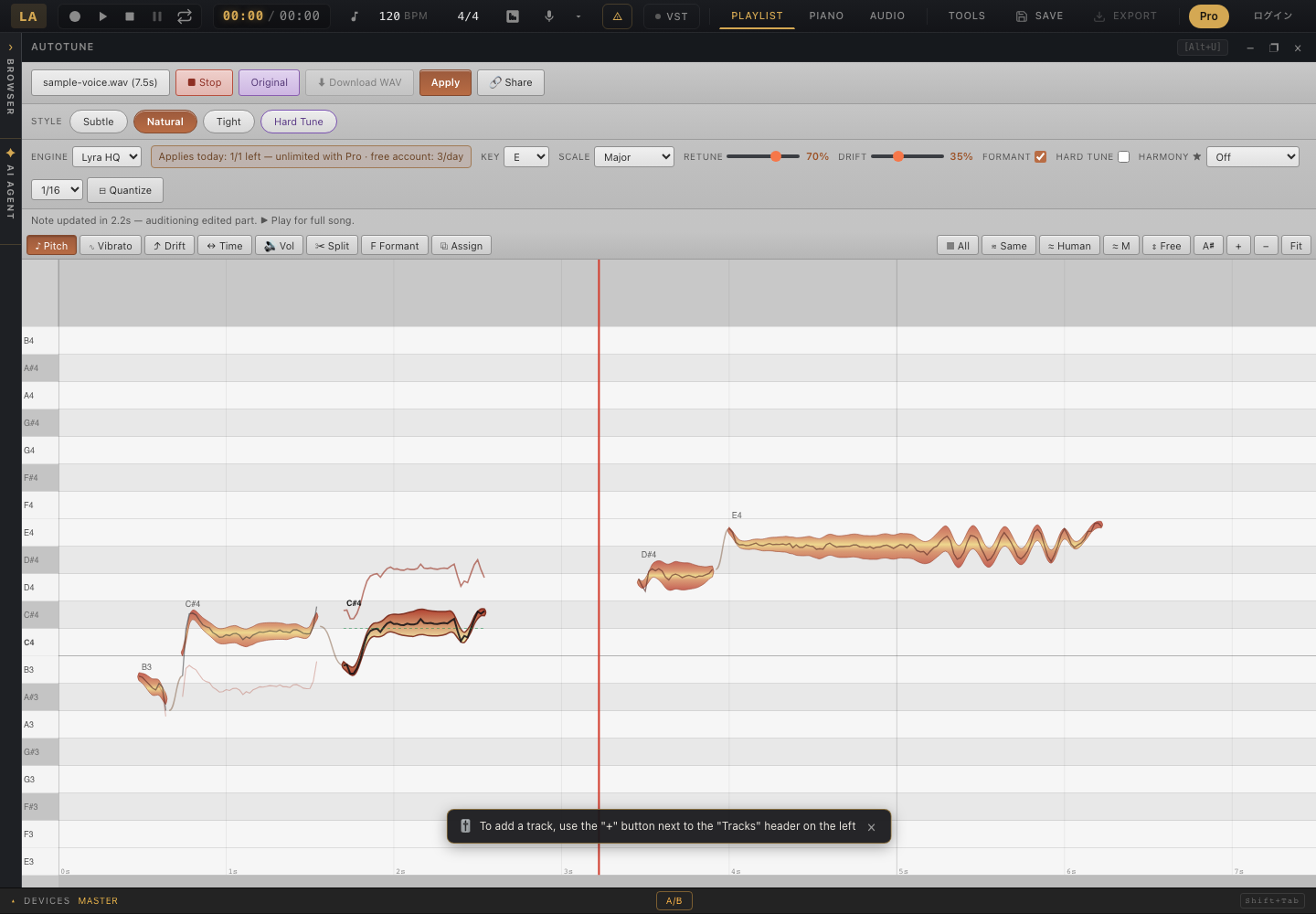
Choosing the wrong key or moving a note to the wrong pitch can change an intentional note. Short detected fragments are not necessarily separate musical notes. Listen to the original and repair only what needs it, without forcing breaths or consonants into notes. This editor is not intended to correct each note of a chord in a finished mix.
Vocal source: Producer Space — Soulful House Vocals (CC0). Examples rendered September 10, 2026. Results vary with the source.
Analyzing, editing, and auditioning notes are separate from applying the correction to the full recording. The free allowances are:
| Action | No account | Free account |
|---|---|---|
| Basic note editing and auditioning | Free | Free |
| Full-recording Apply | 1/day | 3/day |
Daily allowances reset on the UTC date. The browser pitch engine is Lyra HQ. Basic note editing and auditioning are free; Pro removes the daily Apply limit. Check the displayed conditions for harmony before running it.
For a natural result, make small repairs to the notes that need them and retain the singer’s slides and vibrato. For a hard-tuned effect, set the song key first, then increase correction strength and speed. In both cases, listen with the backing track and check that the words remain clear.
This tool edits recorded vocals. It is not a live microphone autotune plugin, and it does not separate every note of a chord in a finished mix for individual correction.
Vocal analysis and Lyra HQ pitch processing in this tool run in your browser. Downloading a model for the first use needs a connection. Choosing cloud saving or a separate generation tool can send data to a server for that feature.