Best Free Piano VSTs & Sample Libraries 2026 [High Quality, DAW-Ready]
What People Really Want When They Search for "Free Piano VST"
Most people searching for "free high-quality piano VST" have one simple goal: make their productions sound like a real, professional piano — without spending money. This article answers that directly. You'll find: ① a curated list of the best free grand piano libraries available in 2026, ② a side-by-side comparison of sound quality and usability, ③ MIDI programming techniques for realistic results, and ④ browser-based tools that need zero installation — all useful whether you're just starting out or already an intermediate producer.
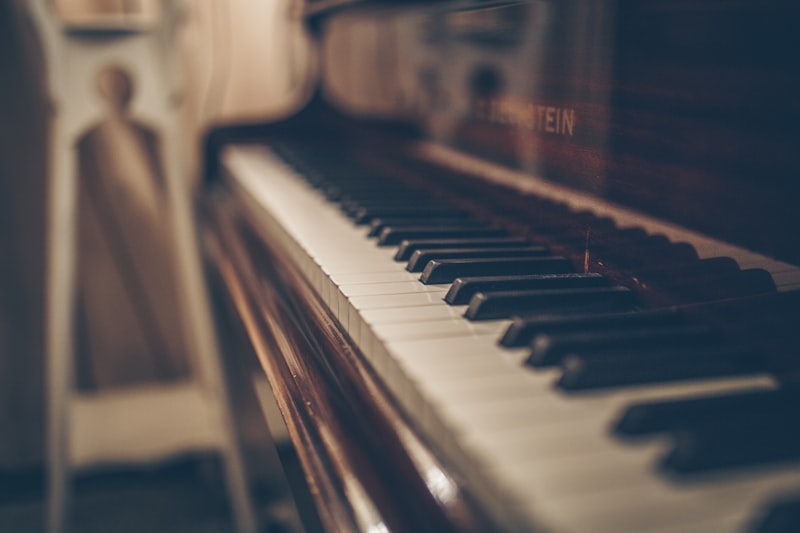
7 Best Free Grand Piano Libraries in 2026
From hundreds of free piano options out there, these seven were selected based on three criteria: sound quality, licensing terms, and ease of use. Here's what each one is good for.
① Salamander Grand Piano (The Classic Choice)
Recorded by Alexander Holm, this is a multisampled Yamaha C5 grand piano released under a Creative Commons CC BY 3.0 license. With 88 keys × 16 velocity layers × 2 mic positions, it's been the gold standard in free piano libraries for years. Available in both SFZ and SF2 formats, it works with virtually every DAW and sampler on the market.
- Sample coverage: 88 keys × 16 velocity layers
- File size: ~700 MB (full set)
- License: CC BY 3.0 (commercial use and modification allowed)
- Download: FreePats Project
② Noct-Salamander V6.1a (The Evolved Salamander)
A major overhaul of the original Salamander Grand Piano, this version features Opus 160kbps streaming support for significantly improved audio fidelity. It comes built into LA Studio, a browser-based DAW, so you can use it instantly with no downloads. Compared to the older V3, reverb tail naturalness and velocity response have both been substantially improved.
③ The Grandeur (via Native Instruments KOMPLETE START)
A concert grand piano instrument included in Native Instruments' free KOMPLETE START bundle. Modeled on a Steinway D, it runs inside the free Kontakt Player and offers a polished UI with plenty of presets out of the box.
- Required software: Kontakt Player (free)
- License: Commercial use allowed (free account registration required)
- Download: Native Instruments website
④ Piano One (Sound Magic)
A free VST/AU plugin sampled from a New York Steinway D. With 44 dynamic layers, pedal noise simulation, and a convincing damper pedal response, it punches well above its price tag. Compatible with Windows and Mac, and works with all major DAWs including Cubase, Studio One, and Reaper.
⑤ Upright Piano KW (Versilian Studios)
A sampled upright piano with a slightly muted, warm character quite different from a concert grand. It's an ideal fit for jazz, pop, and singer-songwriter accompaniment tracks. Distributed in SFZ format and playable in any free SFZ sampler.
⑥ FreePiano 2 (BirdFont)
A lightweight app that lets you play MIDI notes from your computer keyboard. The built-in sounds are basic, but paired with an external piano library it becomes a handy tool for practice runs and quick MIDI input checks.
⑦ Dexed (DX7 / Electric Piano Sounds)
A free FM synthesizer that faithfully emulates the Yamaha DX7. It's not an acoustic piano, but if you need 1980s or 90s electric piano tones — think classic Rhodes or DX7 EP patches — this is the top free option. It's also available as a built-in plugin inside LA Studio.
SF2 vs. SFZ vs. VST/AU: Which Format Should You Use?
The file format of a piano library can be a stumbling block when you're getting started. Here's a plain-English breakdown of each.
SF2 (SoundFont 2)
Developed by E-mu and Creative Labs, SF2 is a universal sample format supported by virtually every DAW in existence. It's the best starting point for beginners because compatibility is essentially guaranteed. The trade-off is that it offers less fine-grained articulation control compared to SFZ.
SFZ
A text-based sampler format that supports advanced features like velocity layers, round-robin sampling, and keyswitching. Most serious free instruments — including Salamander Grand Piano — are distributed in SFZ. LA Studio's built-in SFZ sampler (ARIA SFZ Level 2 compatible) lets you drag and drop SFZ libraries directly into your browser session.
VST / AU (Plugin Formats)
Plugin formats that run inside your DAW as instruments. Piano One and Dexed both fall into this category. Installation is required, but you get a dedicated UI and often superior sound shaping options.

Browser-Based Piano Libraries That Need Zero Installation
If installing software feels like too much friction — or you're working on a Chromebook or secondary machine — here's how to get a full piano production environment running entirely in your browser.
How to Use Piano Instruments in LA Studio (Browser DAW)
LA Studio is a completely free, no-registration browser DAW with the following piano-focused instruments built in:
- Noct-Salamander V6.1a — High-quality grand piano (Opus 160kbps streaming)
- Salamander Grand Piano (legacy) — Lightweight SF2 version with low latency
- Dexed — DX7-style electric piano (FM synthesis)
- Vital — Wavetable synth (great for electric piano pads)
- SFZ Sampler — Drag and drop any SFZ library directly into your browser session
Getting started takes about 30 seconds: ① Open https://la-studio.cc/editor in your browser → ② Click the "+" button to add a MIDI track → ③ Select "Salamander Grand Piano" from the instrument menu → ④ Open the piano roll and start programming. That's it.
7 Techniques for Making Your Piano MIDI Sound Human
Even the most realistic sample library will sound robotic if the MIDI programming is stiff. Apply these techniques and the difference is immediately noticeable.
① Randomize Velocity
A real pianist never hits every note at exactly the same force. Use your DAW's velocity randomize function to add ±5–10 variation across your notes — it's often the single fastest fix for mechanical-sounding piano parts.
② Humanize Timing
Don't lock everything to the grid. Nudge note start times by ±5–15ms randomly. A particularly effective trick: push the left-hand (bass/chord) notes slightly early (around −10ms) to mimic the natural weight and timing of a pianist's left hand.
③ Use the Sustain Pedal (MIDI CC64)
If you're only sustaining notes by extending their length in the piano roll, the result will always sound unnatural. Use MIDI CC64 (sustain pedal) to control legato and note blending — most quality piano libraries respond to it properly and the difference is dramatic.
④ Use the Full Dynamic Range
Salamander Grand Piano has 16 velocity layers. Push notes from pp (pianissimo) to ff (fortissimo) and the timbre itself shifts — it almost sounds like a different instrument above velocity 96 versus below 64. Exploit this to add genuine expression rather than just volume changes.
⑤ Slightly Stagger Chord Notes
Pianists almost never press all notes of a chord at the exact same millisecond. Offset chord notes by 1–5ms from lowest to highest — this recreates the subtle roll of a real pianist's hand and adds a natural attack quality especially on left-hand chords.
⑥ Add Reverb for Room and Hall Ambience
Most sample libraries are recorded dry. Add a reverb plugin with a pre-delay of around 20–30ms and a medium-to-large room size to place the piano in a convincing acoustic space — think recital hall rather than bathroom tile.
⑦ Shape with EQ
Free piano libraries can sometimes sound boxy or muddy. Boost around 2–4kHz by +2–3dB for presence and definition, and gently roll off below 200Hz to clean up low-end mud. This makes the piano cut through on both speakers and headphones.

Free vs. Paid Piano Libraries: An Honest Comparison
Let's cut straight to the question: is a free piano library actually good enough?
| Feature | Free (e.g., Salamander) | Paid (e.g., Pianoteq) |
|---|---|---|
| Sound Quality | Professional-grade | Ultra-realistic (physical modeling) |
| Velocity Layers | 8–16 layers | Continuous (physical model) |
| File Size | Hundreds of MB to 1 GB | ~60 MB (physical model) |
| CPU Load | Low | Medium to high |
| Commercial Use | Yes (CC BY) | Check license per product |
| Price | Free | ~$50–$500 |
The honest answer: free piano libraries are more than sufficient for the vast majority of music production work. The gap between free and paid only becomes audible in contexts where the piano is the sole focus — solo piano recordings, classical compositions, that sort of thing. For pop, film scoring, game audio, and most commercial production, Salamander Grand Piano will get you across the finish line.
Frequently Asked Questions
Q. Can I use free piano libraries for commercial projects?
A. It depends on the library. Salamander Grand Piano is released under Creative Commons CC BY 3.0, which allows commercial use and modification as long as you credit the original creator. Native Instruments' KOMPLETE START instruments are also cleared for commercial use after registering a free account, though redistribution is prohibited. Always check the license before using any library in a paid project.
Q. Is there a way to use a piano library without installing anything?
A. Yes. LA Studio is a completely free browser-based DAW with Noct-Salamander V6.1a (high-quality grand piano) and Dexed (electric piano) built in — no downloads required. It runs on Chromebooks and secondary machines with no setup whatsoever.
Q. Does SF2 or SFZ sound better?
A. The format itself doesn't determine sound quality — both SF2 and SFZ are containers for PCM audio samples, so quality depends entirely on the recording and sampling process. That said, SFZ allows more expressive programming (velocity layering, round-robin, etc.), which is why higher-quality free libraries tend to be distributed in SFZ format.
Q. Can I get realistic piano MIDI without a keyboard controller?
A. Absolutely. Apply velocity randomization, timing humanization, and CC64 sustain pedal data, and mouse-entered MIDI can sound surprisingly convincing. LA Studio also includes an AI note suggestion feature (Tab key) that predicts musically likely next notes — a genuinely useful tool if you don't play piano but want natural-sounding phrases.
Q. Which free piano library uses the least CPU and RAM?
A. Pianoteq (paid) wins on efficiency at around 60 MB thanks to physical modeling. Among free options, the SF2 version of Salamander Grand Piano (GM variant, ~120 MB) is the lightest for local use. In-browser, LA Studio's Noct-Salamander V6.1a uses streaming, so there's no large local download at all.
Summary: Choosing the Right Free Piano Library in 2026
Here's the quick-reference guide based on your situation:
- Want to start immediately with no installation → LA Studio (includes Noct-Salamander V6.1a)
- Want a local library inside your DAW → Salamander Grand Piano (SFZ version)
- Already have Kontakt → The Grandeur via NI KOMPLETE START
- Need electric piano / DX7 tones → Dexed (free VST)
The right library is only half the equation. Combine it with proper MIDI programming — humanized timing, velocity variation, and sustain pedal data — and you can achieve a genuinely professional piano sound at zero cost. The easiest place to start is right in your browser.