How to Make Drum Patterns for Beginners [Start Today with a Free DAW]
3 Things You Need to Know Before Making Your First Drum Pattern
If you searched "how to make drum patterns," what you're really looking for is the fastest way to start programming your own rhythms today. This guide covers everything a beginner needs — from the fundamentals of drum programming to step-by-step instructions and genre-specific pattern examples.
Here are the three key concepts to nail first:
- ① Understand your drum kit — know which sounds go where and what role each one plays
- ② Learn beats, bars, and the grid — think of rhythm as a series of evenly spaced slots
- ③ Finish a 4-bar loop before anything else — done beats perfect every time
Keep these three points in mind as you work through the rest of this guide.
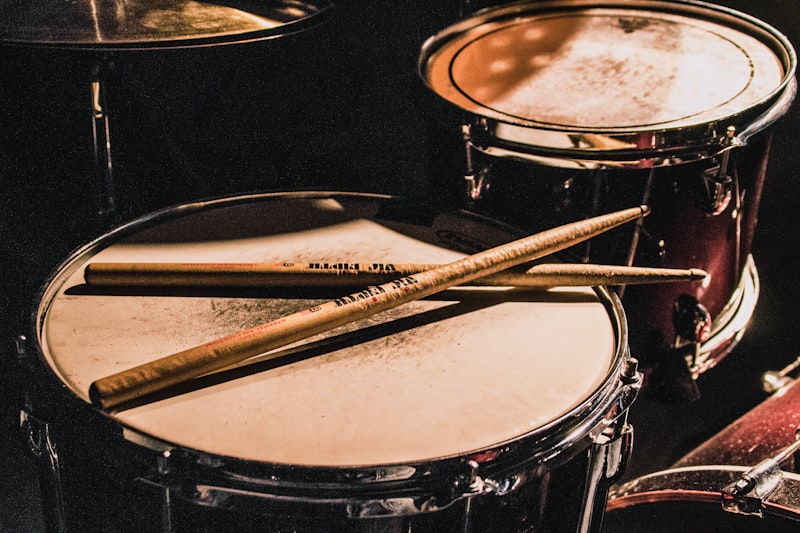
Drum Pattern Basics: Kit Components and Rhythmic Roles
Common Drum Kit Elements
Whether you're using a virtual instrument or a sample pack, these are the core components you'll work with. Understanding the rhythmic role each piece plays is the first step to building great patterns.
- Kick drum (bass drum): The foundation of the groove. Deep and powerful, it typically lands on beats 1 and 3 (or all four beats in dance music).
- Snare: Defines the backbeat. In pop and rock, it sits on beats 2 and 4, giving the rhythm its drive and groove.
- Closed hi-hat: Keeps the pulse. Often played in steady eighth or sixteenth notes, it's the most important element for creating a sense of forward motion.
- Open hi-hat: Used as an accent at key moments. Combining open and closed hi-hats adds energy and movement.
- Crash cymbal: Marks transitions — typically hits at the top of a new section like a chorus.
- Ride cymbal: Common in jazz and Latin styles. Carries a repeating pattern throughout a section.
- Toms: Used in fills. Rolling through high, mid, and low toms is a classic technique to connect sections.
Understanding the Grid and Bars
In any DAW's piano roll or step sequencer, you'll see a grid — a series of slots where you place your drum hits.
- 1 bar = 4 beats (in 4/4 time)
- 1 beat = 4 sixteenth notes
- That means 1 bar contains 16 slots on a sixteenth-note grid
Working with a sixteenth-note grid makes it easy to visualize where hits should fall. Almost every DAW lets you set the grid to sixteenth notes — start there and you're good to go.
How to Make a Drum Pattern: Step by Step
STEP 1: Place the Kick (Build the Foundation)
Always start with the kick drum. Here's how:
- Open a drum track or piano roll in your DAW and set the grid to sixteenth notes
- Place a kick on beat 1 (slot 1)
- Place another kick on beat 3 (slot 9)
- Hit play and listen — you'll hear a simple "boom — boom —" pattern every two beats
This "kick on 1 and 3" pattern is the most common starting point in modern music. Once you're comfortable, try adding extra kicks around beat 3 (slots 7 or 11) to create a more dynamic groove.
STEP 2: Place the Snare (Lock In the Backbeat)
- Place a snare on beat 2 (slot 5) and beat 4 (slot 13)
- Hit play and listen for the classic "boom-crack-boom-crack" kick-snare pattern
Even with just kick and snare, it should already sound like a real beat. Set the snare's velocity slightly lower than the kick (around 80–100) for a more natural feel.
STEP 3: Add Hi-Hats for Groove
- Place closed hi-hats on every sixteenth-note slot (all 16) for a driving feel
- Or use eighth notes (every other slot) for something more laid-back
- Drop an open hi-hat on the last sixteenth note of beat 4 (slot 16) to smoothly lead into the next bar
Rather than keeping all hi-hats at the same volume, vary the velocity randomly — for example, odd slots at 100 and even slots at 70. This instantly makes the groove feel more human.
STEP 4: Shape the Groove with Velocity
Velocity controls how hard each note hits. When everything plays at the same level, patterns sound robotic.
- Main kick and snare hits: velocity 90–127 (strong)
- Ghost notes (subtle snare hits between the main beats): velocity 30–50 (very soft)
- Hi-hats: vary randomly between 60–100
Ghost notes are one of the most powerful tricks for getting a professional-sounding groove. Try adding very quiet snare hits in the empty slots between your main snare beats — you'll be amazed at how much life it adds.
STEP 5: Add a Fill to Connect Sections
A drum fill is a short burst of activity — usually on beat 4 of the last bar in a phrase — that bridges one section to the next. Tom rolls and rapid snare runs are the most common approaches.
- Select the last beat of bar 4 (slots 13–16)
- Roll through your toms from high to low on sixteenth notes
- Or place rapid-fire snare hits in triplets or sixteenth notes

Genre Guide: Essential Drum Patterns
Every genre has its signature rhythmic blueprint. Use these as starting points and adapt them to fit your sound. (Grid notation: ○ = hit, × = rest, in sixteenth-note slots)
Pop / Rock (Standard Backbeat)
- Kick: ○××× ××○× ○××× ××○× (beats 1 and 3)
- Snare: ×××× ○××× ×××× ○××× (beats 2 and 4)
- Hi-hat: ○×○× ○×○× ○×○× ○×○× (eighth notes)
EDM / Dance (Four-on-the-Floor)
The defining feature here is a kick on every beat — slots 1, 5, 9, and 13. That's where the term "four-on-the-floor" comes from. Add snare on beats 2 and 4, drive the hi-hats in sixteenth notes, and drop an open hi-hat on the offbeats for a classic house feel.
Hip-Hop / Trap
The kick pattern is syncopated and irregular, and the snare doesn't always sit strictly on beats 2 and 4. The signature element is rapid 32nd-note hi-hat rolls. Keep the tempo between 60–90 BPM for that heavy, slow-burning feel. Learn more about trap music on Wikipedia.
Jazz / Swing
The ride cymbal carries the groove with a swinging triplet feel — often described as a "ding-dinga-ding" pattern. Ghost notes on the snare are essential. The kick is used sparingly, often landing softly on beat 4 — that restraint is what gives jazz drumming its character.
Bossa Nova / Latin
Built around the clave pattern — either "3-2" or "2-3" — which gives these styles their distinctive syncopated lilt. Adding percussion like congas or bongos brings out the authentic flavor.
Free DAWs for Drum Programming: Tools and How to Use Them
To program drum patterns, you'll need a DAW (Digital Audio Workstation). Here's how the most popular free options compare:
Free DAW Comparison
- Audacity: Great for recording and audio editing, but not designed for MIDI drum programming
- GarageBand (Mac only): Intuitive drum sequencer built in. The top pick for Mac and iPhone users
- Cakewalk by BandLab (Windows only): Professional-grade features at no cost, though installation is required
- LMMS (PC): Feature-rich beat-making tools in a free, installable DAW
- LA Studio (browser-based): No installation needed — open it in your browser and start programming immediately. Includes a full piano roll and MIDI editor
If you want to jump in right now without installing anything, LA Studio's editor is the easiest way to get started. It runs entirely in your browser, supports GM sounds and SoundFonts (SF2), and lets you hear your drum patterns play back instantly — zero setup required.
Basic Workflow for Building a Drum Track in a DAW
- Open your DAW and create a new project
- Add a MIDI track and assign a drum kit as the instrument (in General MIDI, Channel 10 is the standard drum channel)
- Open the piano roll and set the grid to sixteenth notes
- Follow Steps 1–5 above to enter your notes
- Loop playback and fine-tune velocity and timing
- Once you're happy, copy the 4-bar loop as many times as needed to fill out your track
5 Finishing Techniques for a Professional-Sounding Drum Pattern
① Humanize to Remove the Robotic Feel
Use your DAW's humanize function — or manually nudge note timings by ±5–10ms — to introduce subtle variations that mimic real drumming. Most modern DAWs include this feature natively.
② Use Compression to Add Punch
Compressing the kick and snare tightens the sound and adds impact. A good starting point: slow attack (30ms or more), fast release (50–100ms). Learn how compression works on Wikipedia.
③ Route Drums to Separate Tracks (Parallel Processing)
Sending the kick, snare, and hi-hats to individual channels gives you precise control over EQ and effects for each element. Start by balancing volumes while listening to how each part sits in the mix.
④ Add Reverb for Space and Depth
A short reverb on the snare (decay time around 0.5–1 second) gives it a natural room sound and adds dimension. The kick generally gets little to no reverb — keep it tight and dry.
⑤ Use Sidechain Compression for That Pumping Feel
Sidechaining ducks the bass and pads every time the kick hits, creating the signature pumping effect in house and EDM. This is a mixing-stage technique, but knowing it exists will influence how you place your kick hits in the pattern.

A Practice Roadmap for Getting Better at Drum Patterns
Here's a structured progression for beginners to build solid drum programming skills efficiently:
- Week 1: Recreate a basic four-on-the-floor pattern (kick on all four beats, snare on 2 and 4) for 10 different songs
- Week 2: Pick songs you love and transcribe their drum patterns by ear
- Week 3: Incorporate fills and ghost notes to deepen your groove
- Week 4: Explore other genres — hip-hop, bossa nova — to expand your rhythmic vocabulary
- Month 2+: Start building original patterns and grow your own personal beat library
For deeper rhythm theory, Drumeo is an excellent resource with structured lessons on drumming and rhythm fundamentals.
Conclusion: Start Building Your First Drum Pattern Today
The most important thing in drum programming is this: finishing one pattern beats perfecting none. Start simple — kick on beats 1 and 3, snare on 2 and 4, eighth-note hi-hats. Then gradually layer in more elements and dial in your velocities. Before long, you'll have a beat that's unmistakably yours.
If you want to start right now without downloading anything, open the LA Studio editor in your browser, pull up the piano roll, and follow the steps in this guide. The GM drum kit is ready to go — no setup required.
Frequently Asked Questions
Q. Do I need to play an instrument to make drum patterns?
A. Not at all. With a DAW's piano roll or step sequencer, you place notes by clicking with your mouse — no playing required. That said, clapping along to a metronome is a great habit for internalizing rhythm and will speed up your progress noticeably.
Q. How do I make patterns in time signatures other than 4/4?
A. Change the time signature in your DAW's project settings. For 3/4 (waltz time), think of each bar as 12 slots (3 beats × 4 subdivisions), with the kick on beats 1 and 3 and the snare on beat 2. Odd meters like 5/4 (20 slots per bar) are more advanced, but the same logic applies.
Q. How do I choose the right BPM for my drum pattern?
A. Genre gives you a solid starting point: Hip-hop/trap: 60–95 BPM; Pop/rock: 90–130 BPM; House: 120–130 BPM; Techno: 130–145 BPM; Drum and bass: 160–180 BPM. If you're referencing a track and don't know its BPM, use a BPM detection tool to analyze it automatically.
Q. Should I use MIDI drums or audio samples?
A. Both have their strengths. MIDI drums let you swap instruments freely and edit velocity and timing with precision — ideal for beginners. Audio samples (drum loops or one-shots) have a realistic, ready-made quality that sounds polished immediately. Most professional producers use both together. Start with MIDI to learn the structure, then bring in samples as you get more comfortable.
Q. Why does my drum pattern feel stiff or lifeless?
A. There are three common culprits: ① All notes at the same velocity, making it sound robotic (fix: add dynamic variation); ② Hi-hats and decorative hits are too uniform (fix: add open hi-hats and ghost notes); ③ The tempo doesn't match the vibe you're going for (fix: check the BPM against a reference track). In most cases, simply varying your velocities will transform the groove dramatically.