How to Use a Free Pad Sampler in Your Browser [Beginner's Guide to Music Production]
What You Need to Know Before Searching for a Free Pad Sampler
If you've been searching for a free pad sampler, chances are you want one thing: something you can use right now, without installing anything, and without spending a dime. The good news? That tool exists. Since 2024, fully featured pad samplers have been running entirely in the browser — meaning whether you're on Windows, Mac, or a Chromebook, you can open a single URL and start playing drums or triggering samples immediately.
This guide covers everything from the basics of pad samplers to step-by-step instructions for using a free browser-based tool, plus tips for integrating it into your music production workflow. By the end, you'll be ready to start making music today.
What Is a Pad Sampler? How It Differs from a Soundboard
The Basics of a Pad Sampler
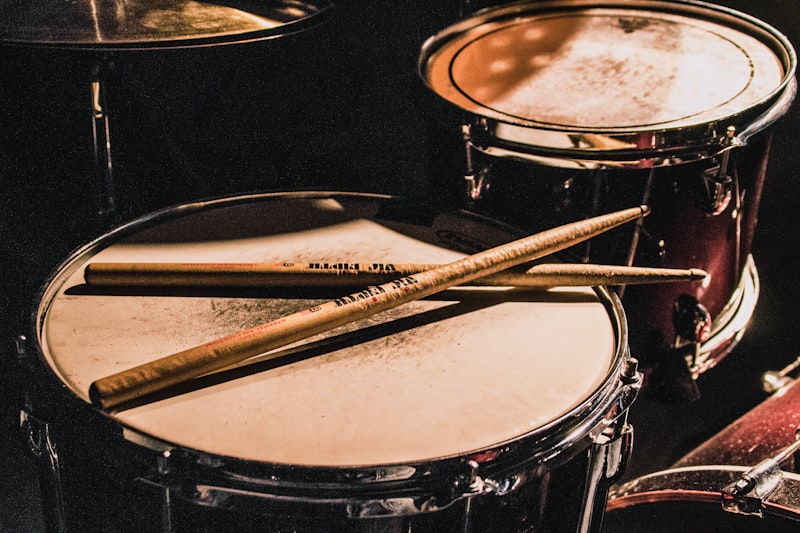
A pad sampler is a tool that lets you assign audio samples to individual pads (buttons) and trigger them instantly by hitting those pads. Classic hardware examples include the Roland SPD-SX and the Akai MPC, while popular software versions include Native Instruments Maschine and Ableton Live's Drum Rack.
- Common uses: Drum and percussion performance, live sound effect triggering, synchronized loop playback
- Hardware examples: Akai MPC One, Roland SP-404, Arturia DrumBrute
- Software examples: Battery 4 (Native Instruments), Geist2 (FXpansion), browser-based soundboards
How Is It Different from a Soundboard?
The word "soundboard" can mean two different things in music production: a button panel used by streamers and live performers to fire off sound effects, or a DAW's mixing console. A pad sampler sits in between — the key difference is that you load your own sounds and map them to pads however you like. A soundboard plays back a fixed set of pre-loaded clips; a pad sampler gives you full control over what sounds are assigned and how they're triggered.
How to Choose a Free Pad Sampler: 5 Things to Check
1. No Installation Required
If you're using a work computer or borrowed equipment, you may not be able to install software. A browser-based tool requires no admin privileges — just open the URL and go.
2. Low Latency
If there's a noticeable delay between hitting a pad and hearing the sound, playing in time becomes nearly impossible. Aim for under 10ms. Browser tools built on the Web Audio API can hit this threshold. For even lower latency with a hardware MIDI controller, use a Web MIDI API-compatible browser like Chrome or Edge.
3. Flexible Sound Import
Being able to load your own recorded sounds or downloaded sample packs — not just built-in presets — is essential. Make sure the tool supports common formats like WAV and MP3.
4. DAW Integration and Export
The ability to record your performance and bring it into a DAW project is a major plus. MIDI export and audio recording features can save you a lot of time in the mixing stage.
5. Pad Count and Key Mapping
A 4×4 grid (16 pads) is enough to cover a standard drum kit. Key mapping — assigning pads to keyboard keys — lets you perform without a MIDI controller.
Free Browser-Based Pad Samplers: A Side-by-Side Comparison
Here's a look at the main browser-compatible pad samplers available today.
- LA Studio (Soundboard / Pad Sampler): Completely free, no sign-up needed, built into a browser DAW. Supports WAV/MP3 import, default key mapping, and multi-row pad grids. Records directly to audio tracks in the DAW. Runs locally, so it works even without an internet connection.
- Drumbit: A browser-based drum machine centered around a 16-step sequencer. Great for BPM-synced patterns, but not designed for real-time pad performance, and custom sample import is limited.
- VirtualDJ Soundboard: Built for DJs and live sound effect triggering. No MIDI export or multi-velocity support.
- Splice Sounds (browser preview): Lets you preview samples in the browser, but has no pad assignment or performance recording features. It's a sample discovery tool, not a sampler.
Bottom line: If you need something that's free, runs in the browser, integrates with a DAW, and lets you import your own sounds, LA Studio's pad sampler is the most capable option available right now.
How to Use LA Studio's Pad Sampler: Step-by-Step
STEP 1: Open the Editor
① Open Chrome or Edge (recommended) and go to https://la-studio.cc/editor.
② The editor launches instantly — no account or login required.
③ Click the "LA" menu at the top of the screen, then go to "Audio Settings" to confirm your sample rate and output device.
STEP 2: Add a Pad Sampler Track
① Click the "+ Add Track" button on the left side of the editor.
② Select "Soundboard (Pad Sampler)" from the dropdown menu.
③ A new track with a 4×4 (or larger) pad grid will appear in your project.
STEP 3: Assign Sounds to Pads
① Right-click the pad you want to assign a sound to (or click the "…" menu on the pad).
② Choose "Load Sample" to drag and drop a local WAV, MP3, or OGG file into the browser.
③ LA Studio also includes 24+ built-in SFZ instrument libraries — including VSCO 2 CE — that you can assign directly from the Library panel in the editor (open the editor and look for the Library panel).
④ After assigning a sound, click the pad to confirm it plays correctly.
STEP 4: Check and Customize Key Assignments
① By default, pads are mapped to keyboard keys like Q, W, E, R, and so on.
② The assigned key is shown in the lower-left corner of each pad — click it to reassign if needed.
③ This means you can perform right away using your computer keyboard, even without a MIDI controller.
STEP 5: Connect a MIDI Controller (Optional)
① Connect a USB MIDI pad controller — such as the Akai MPD218 or Native Instruments Maschine Mikro — to your computer.
② Chrome's Web MIDI API will detect it automatically and map pad triggers directly.
③ Latency typically stays below 5–10ms.
STEP 6: Record Your Performance
① Press the record button (the red R) in the transport bar at the top of the editor, then start playing.
② Your pad triggers are captured as an audio region on the track.
③ Once recorded, you can apply EQ, compression, reverb, and other processing in the mixer.
3 Ways to Use a Pad Sampler in Music Production
1. Recording Live Drum Tracks
Unlike step-programmed MIDI, playing pads by hand introduces subtle timing variations that give your drums a natural, human feel. This is especially valuable in jazz, funk, and hip-hop. A popular technique is to record freely and then apply light quantization — around 50% — in your DAW afterward to tighten things up without losing the groove.
2. Triggering Sound Effects in Live Performance
Pad samplers work great as soundboards for live shows and streaming — assign laughs, drum rolls, jingles, or stingers to individual pads and fire them off with keyboard shortcuts at just the right moment.
3. Improvised Loop Performance
Loading breakbeats and chord loops onto pads and layering them on the fly is a staple workflow for beatmakers. Sync each loop to your project's key and tempo, and you can stack them without any pitch or timing drift.
Where to Find Free Samples for Your Pad Sampler
Here are some of the best sources for high-quality free samples.
- Freesound.org: Over 500,000 Creative Commons-licensed sounds. Search by keyword and download WAV files for free.
- Looperman: User-submitted loops, many available for commercial use.
- Splice (free tier): Download high-quality samples using 100 free credits per month.
- Native Instruments Komplete Start: The free version of Komplete includes drum sample packs that you can export as WAV files and use anywhere.
- LA Studio built-in SFZ libraries: 24+ instruments including VSCO 2 CE and DrumGizmo are ready to use directly in the browser — no download needed.
Pros and Cons of Browser-Based Pad Samplers
Pros
- No installation or updates needed — opening the URL always gives you the latest version
- Works identically on Windows, Mac, Chromebook, and Linux
- Hardware-agnostic — playable with just a computer keyboard
- Cloud saving lets you pick up your project from any device
Cons and Limitations
- Safari (iOS/macOS) has limited Web MIDI API support — Chrome or Edge is recommended
- Loading very large sample packs (1GB+) all at once may hit browser memory limits
- No support for dedicated audio drivers like ASIO or Core Audio — expect 10–20ms latency under normal conditions
Wrapping Up
If you want a free, hassle-free pad sampler, a browser DAW with a built-in soundboard is the strongest option available today. No installation, no sign-up — just open it and start playing. Loading your own audio files onto pads is simple, and the tool handles everything from drum recording to live sound effect triggering.
In LA Studio's editor, the Soundboard (Pad Sampler) is just one piece of a fully free toolkit that also includes AI-powered stem separation, auto-tune, BPM detection, and more. Combined with the pad sampler, you can go from loop recording all the way to mixdown without ever leaving your browser tab. Start by opening the URL and loading a single sound onto a pad — that's all it takes to get going.
Frequently Asked Questions
Q. Do I need a MIDI controller to use a pad sampler?
A. No. LA Studio's Soundboard maps each pad to a computer keyboard key by default, so you can start performing right away without any external hardware. A MIDI pad controller adds expressiveness, but it's entirely optional.
Q. How much latency should I expect from a browser-based pad sampler?
A. On a typical computer, browser apps using the Web Audio API produce around 10–20ms of latency. Chrome and Edge support lower-latency audio configurations that can get close to ASIO performance. For situations where tight timing is critical — such as live performance — consider pairing the browser tool with a standalone DAW that supports ASIO or Core Audio.
Q. Can I assign my own recorded voice or instrument sounds to pads?
A. Yes. Just drag and drop a WAV, MP3, or OGG file onto a pad to load it. You can also record audio directly with your microphone inside LA Studio's editor and assign it to a pad on the spot.
Q. Can I export my pad sampler performance as MIDI?
A. Yes. LA Studio supports MIDI export — notes entered in the piano roll can be saved as a Standard MIDI File (SMF). Recording pad triggers to a MIDI track makes it easy to move your project into another DAW like Ableton Live or FL Studio.
Q. Are any pad sampler features locked behind a paid plan?
A. The core pad sampler and Soundboard features in LA Studio are completely free. Some high-load AI features — like AI music generation and sheet music OCR — require Pro plan credits, but pad performance, sound import, and recording have no restrictions on the free plan.