How to Make Drum Patterns: The Complete Beginner's Guide (Free Browser DAW)
What You'll Learn: The Fastest Way to Build a Drum Pattern from Zero
"How do I actually make a drum pattern?" "I don't have a DAW, but I want to start making beats" — if that sounds like you, this guide is exactly what you need. We'll walk you through how to program drums today using a completely free, browser-based DAW — no installation required. No complicated software setup, no steep learning curve. By the time you finish reading, you'll have a 4-bar beat you made yourself.
Drum Pattern Basics — Just Learn These First
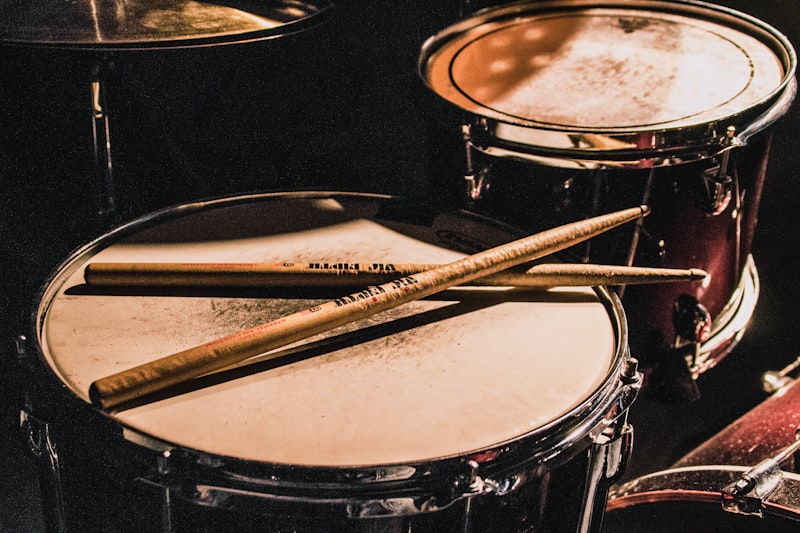
The 4 Core Parts of a Drum Kit
When you're just starting out, you only need to know four parts of the drum kit:
- Kick drum (bass drum): A deep, low "thud." It's the foundation of your rhythm.
- Snare: A sharp, cracking "crack." Typically placed on beats 2 and 4.
- Closed hi-hat: A tight, repeating "tick." Keeps the tempo moving.
- Open hi-hat: A longer, washy "tssh." Used for accents and transitions.
These four sounds are all you need to start. Add crash cymbals and toms once you're comfortable with the basics.
Understanding Beats, Bars, and the Grid
In standard 4/4 time, one bar equals four beats. In a piano roll or step sequencer, each beat is further divided into smaller subdivisions.
- Quarter notes (one per beat): The simplest way to subdivide
- Eighth notes (two per beat): The most common in pop and rock
- Sixteenth notes (four per beat): Used for detailed fills and house grooves
For beginners, starting with an eighth-note grid for your hi-hat is the clearest and most approachable way to get going.
3 Ways to Make Drum Patterns in a Free DAW
Method 1: Piano Roll (MIDI Editor)
The piano roll displays time on the horizontal axis and pitch on the vertical axis. For drums, each pitch corresponds to a different instrument — for example, in the General MIDI (GM) standard, C1 = bass drum, D1 = snare, and so on. It's a great tool because you can visually see and edit your rhythm as you build it.
Method 2: Step Sequencer
A step sequencer lets you create patterns by toggling buttons on and off in a grid — like the classic Roland TR-808 or FL Studio's Step Sequencer. It's extremely intuitive and perfect for beginners who want results quickly.
Method 3: Drag-and-Drop Loops
This method involves placing pre-made drum loops into your timeline. It's fast, but it won't teach you how to actually build beats from scratch. Beginners are better served by hands-on programming with Method 1 or 2 first.
Hands-On: How to Make a Drum Pattern in a Browser DAW

We'll use LA Studio (browser DAW) as our example. No sign-up, no download — just open it in Chrome, Edge, or Safari and you're ready to go.
Step 1: Create a Drum Instrument Track
- Open LA Studio in your browser (https://la-studio.cc/editor)
- Click the "+ Add Track" button in the top-left of the playlist
- Select "Instrument" as the track type
- From the instrument list, choose a sound source that includes a drum kit — such as SoundFont (GM) or Sonatina Orchestra
If you're using a GM sound source, MIDI channel 10 is dedicated to percussion. Here's how note numbers map to drum sounds:
- C1 (36): Bass drum (kick)
- D1 (38): Snare
- F#1 (42): Closed hi-hat
- A#1 (46): Open hi-hat
- C2 (48): High tom
- A1 (45): Low floor tom
Step 2: Create a MIDI Region and Open the Piano Roll
- In the playlist, click and drag across an empty area to create a 4-bar MIDI region
- Double-click the region to open the piano roll
- Set the grid size to "1/8" (eighth notes) via the LA menu → Grid Size → 1/8
Step 3: Program the Kick — Four on the Floor
Let's start with the simplest possible kick pattern: four on the floor. This means placing a kick on every beat — four times per bar — on note C1.
- Select the pencil tool in the piano roll
- Click on the C1 row at grid positions 1, 3, 5, and 7 (the downbeats in an eighth-note grid)
- Hit play to check how it sounds
💡 Four on the floor is the backbone of house, techno, and EDM. Get this one in your muscle memory first.
Step 4: Add Snare on Beats 2 and 4
- Move to the D1 row
- Place notes on beats 2 and 4 (grid positions 3 and 7)
- Hit play and listen for the "boom-crack-boom-crack" feel
Just this kick-and-snare combination already gives you a usable rock or pop beat. You're already cooking.
Step 5: Add the Hi-Hat for a Tighter Feel
- Move to the F#1 row (closed hi-hat)
- Place notes across all 8 slots in the bar (every eighth note)
- Lower the velocity on the even-numbered notes (2, 4, 6, 8) slightly — for example, strong hits at 100 and weaker hits at 70 — for a more natural, human feel
Velocity is how hard a note is "hit." In most piano rolls, you can right-click a note to edit its velocity, or drag the bar below the note up or down to adjust it.
Step 6: Add Variation to Finish the Pattern
Once you've got the basic pattern, try adding these touches:
- Crash cymbal (C#2 / 49): Place one on beat 1 of every 4-bar phrase
- Ghost snare notes: Add quiet snare hits (velocity ~40) just before or after your main snare for texture
- Open hi-hat (A#1): Place one on the "and" of beat 4 (grid position 8) to create anticipation into the next bar
Genre Drum Pattern Reference Guide
Rock: Snare on 2 & 4 + Syncopated Kick
For a rock feel, place the kick not just on beats 1 and 3, but also add hits on the "and" of 2 and the "and" of 4. Keep your snare firmly on 2 and 4. Eighth-note hi-hats are standard.
Hip-Hop: Swing Feel
The defining feature of a hip-hop beat is swing (also called shuffle). By pushing the even eighth notes slightly late, you create that distinctive loping groove. In your DAW's quantize settings, try a swing value between 50–70%. The classic hip-hop kick placement is beat 1 and the "and" of beat 3.
House: Four-on-the-Floor Kick + Off-Beat Clap
Kick on all four beats. Clap or snare on beats 2 and 4. Sixteenth-note hi-hats for that rolling energy. Standard tempo is 120–130 BPM.
Bossa Nova: Cross-Rhythms and Syncopation
Bossa nova typically uses a rimshot (D#1 / 37) instead of a full snare. The signature syncopated pattern — often described as "ta-ta-TUM, ta-TUM" — is worth learning as it opens up a whole world of Latin groove applications.
5 Techniques to Make Your Drum Patterns Sound More Human
1. Humanize (Add Subtle Timing Variations)
A perfectly quantized drum track sounds mechanical. Use your DAW's humanize feature, or manually nudge notes a few ticks forward or backward to mimic the natural imperfections of a live drummer. A range of ±5–20 ticks is usually enough to feel organic without sounding sloppy.
2. Vary Your Velocities
Simply making downbeat hits louder (100–127) and upbeat hits softer (60–80) goes a long way toward creating a sense of groove and feel.
3. Use a Compressor to Add Punch
Running a compressor on your kick and snare adds attack and presence. Try a slower attack time and a faster release for a punchy, driving sound.
4. Shape the Tone with EQ
Boost the low end (60–100 Hz) on your kick and add a gentle lift in the upper mids (2–5 kHz) on your snare so each element cuts through the mix without fighting for space.
5. Parallel Compression
Blend your original, unprocessed drum track with a heavily compressed copy of it. You get the dynamic feel of the original with the added weight and density of the compressed version. This is a go-to technique for professional beatmakers.

Common Beginner Problems (and How to Fix Them)
"I'm not hearing any sound"
If you're using a GM sound source, make sure your MIDI channel is set to 10 (the dedicated percussion channel). Also, browsers require a user interaction before activating the audio context — click somewhere on the page before hitting play.
"I placed a note but the snare isn't playing"
With GM instruments, note numbers are mapped to specific drum sounds according to the GM standard (note 38 / D1 = snare). Do a quick test playback across different notes in the piano roll to confirm which note triggers which sound.
"My rhythm sounds off or delayed"
Grid snapping may be turned off. Go to the LA menu → Snap → On, and make sure your notes are locking to the grid.
Taking Your Beatmaking Further
Once you've got drum patterns down, your natural next steps are programming a bassline and adding chord progressions. If you want to analyze the drum patterns in your favorite tracks, AI stem separation lets you isolate the drum track from any song — a fantastic shortcut for learning by ear. Breaking down tracks you love is one of the fastest ways to level up.
For broader context on the history of beat programming, the Wikipedia article on drum machines is a great read, and Ableton's free interactive course "Learning Music" is an excellent hands-on resource for music production beginners.
Frequently Asked Questions
Q. What DAW do I need to make drum patterns?
A. You don't need expensive software like Cubase, Logic, or FL Studio. A browser-based DAW like LA Studio is completely free, requires no installation, and works right in Chrome or Edge.
Q. Do I need to know music theory to program drums?
A. Not really, at least not to get started. If you remember "kick on 1 and 3, snare on 2 and 4," you already have the core rule for a pop or rock beat. You can pick up theory gradually as you go.
Q. What BPM should I use?
A. It depends on the genre. Pop and rock generally sit at 90–130 BPM, hip-hop at 70–100 BPM, house at 120–130 BPM, and techno at 130–145 BPM. Starting at 100 BPM is a solid, comfortable default for beginners.
Q. Should I use drum loops or program everything by hand?
A. Loops are great for speed; programming by hand builds skills and originality. Many professional beatmakers use both. As a beginner, learning to program your own patterns first will give you a much stronger foundation before you start leaning on loops.
Q. How do I set up swing in my DAW?
A. Most DAWs include a swing percentage in their quantize settings. At 50%, the rhythm is perfectly straight. As you increase the value toward 100%, the feel becomes more shuffled and syncopated. For hip-hop and R&B, 60–75% swing is a common sweet spot.
Wrap-Up: Start Making Drum Patterns Today
You only need three elements to get started: kick, snare, and hi-hat. Lock in the golden rule — kick on 1 and 3, snare on 2 and 4, eighth-note hi-hats — and you've got the foundation of virtually every genre. From there, it's just about adding variation and developing your own style.
Don't let software be the reason you don't start. LA Studio is a fully free, browser-based DAW with a piano roll, GM drum sounds, a mixer, and effects — everything you need to go from zero to a finished beat. Set a goal: finish one 4-bar pattern today. That's the first step to becoming a beatmaker.