Un DAW que funciona en tu navegador
Un Estudio Pro,
En Tu Navegador.
Grabación, mezcla, masterización — todo en tu navegador. Sin instalar. Las herramientas principales son gratis; Pro ($5/mes) añade uso ilimitado y procesamiento HQ en la nube.
- Audio estándar en tu dispositivo
- Sin instalación
- WebGPU
Organiza. Mezcla. Exporta.
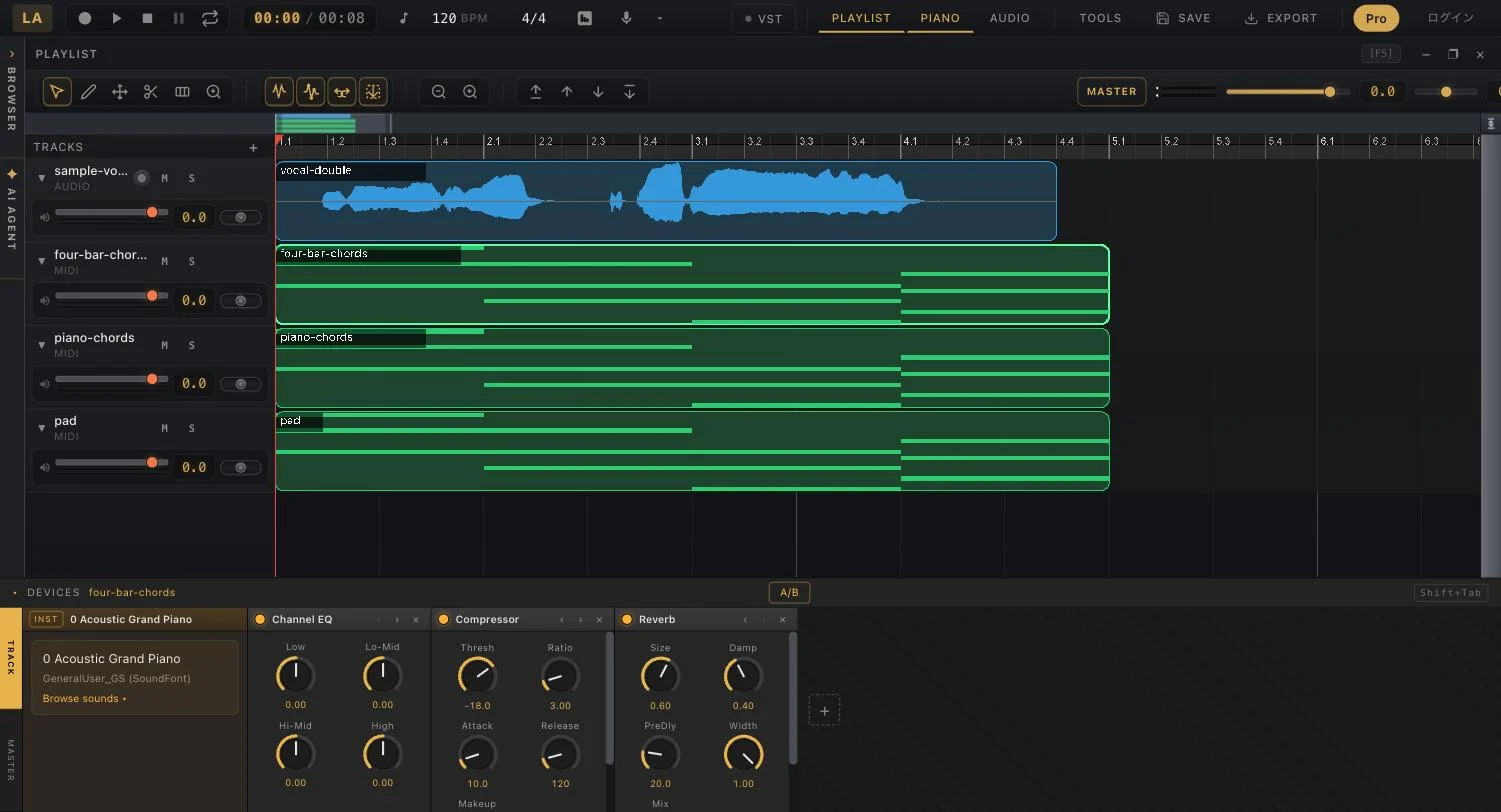
Audio y MIDI en una sola línea de tiempo. Corta, aplica fundidos, cuantiza y exporta la mezcla — sin instalar ni configurar nada.
Abrir el DAW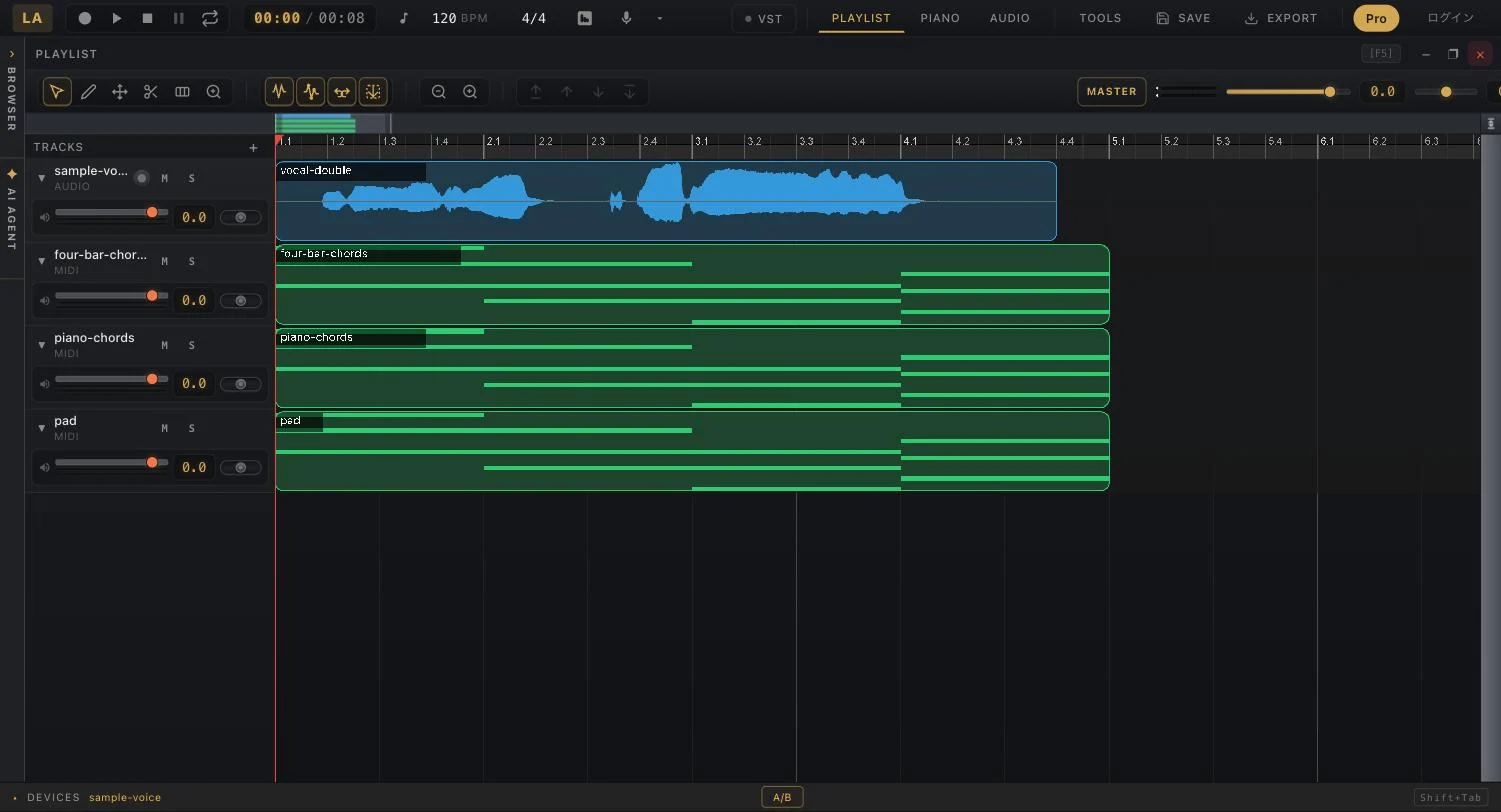
Instrumentos y efectos, incluidos.
Un piano roll con banco de sonidos GM, más un rack de EQ, compresor, reverb y limitador. La masterización con IA es un clic.
Sobre el editor DAW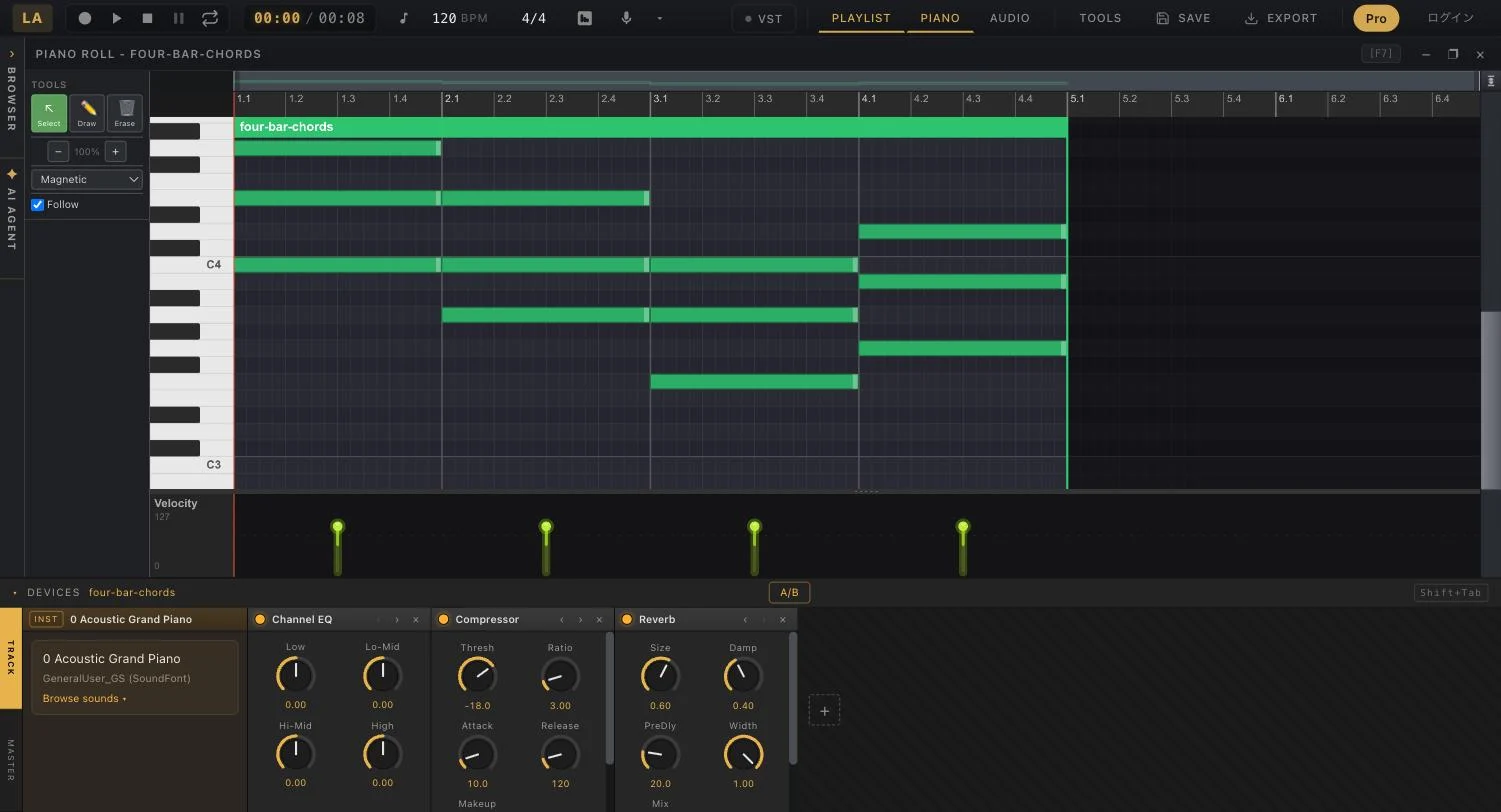
Edición de afinación, nota a nota.
La IA dibuja cada nota cantada como un bloque editable. Arrástralo para afinar, escucha al instante y descarga el WAV.
Probar Autotune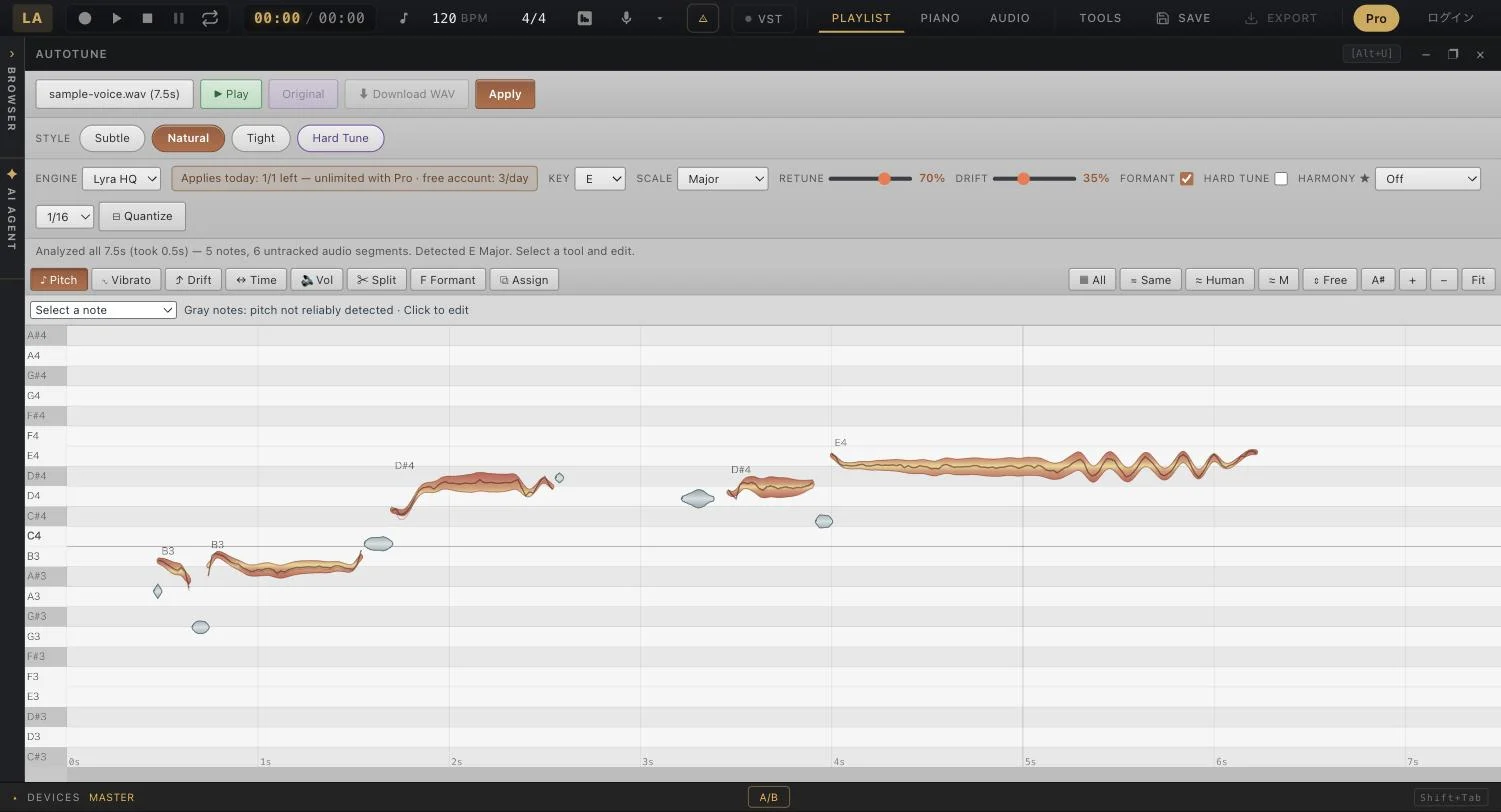
Todo lo que un estudio con IA debe hacer.
Desde quitar voces hasta simular amplificadores. Casi todo se ejecuta en tu GPU, dentro de la pestaña del navegador.
Cómo funciona
- 01
Elige un archivo
Compatible con MP3, WAV, FLAC, M4A
- 02
Procesa y comprueba
Estos pasos describen el procesamiento de audio estándar en el navegador. El primer uso puede requerir descargar un modelo. Las funciones en la nube usan otra vía.
- 03
Escucha y guarda
Escucha el resultado y guarda el audio. El guardado en la nube envía datos a un servidor.
Audio estándar en tu dispositivo
La separación estándar, la reducción de ruido y el análisis BPM se ejecutan en tu navegador. La separación HQ, la generación de música y loops, el mastering por referencia, OCR y el guardado en la nube envían datos o audio a servidores según la función elegida.
¿Por qué son gratis las herramientas principales?
La separación estándar, la reducción de ruido y BPM son gratis. Autotune y otras funciones tienen límites gratuitos; HQ y generación tienen condiciones de plan o créditos. Consulta el precio antes de ejecutar y la página de precios.
Puedes probar la separación estándar sin cuenta. El guardado en la nube y algunas funciones de generación o de pago requieren iniciar sesión.
Un estudio para todos
Producción en casa
Divide en 6 pistas: Batería, Bajo, Vocales, Guitarra, Piano, Otros
Podcasts
Elimina ruido, zumbido y sonidos de fondo con IA
DJ y remezclas
Detecta automáticamente el tempo y la tonalidad
Creación de vídeos
Separa vocales e instrumentales. Crea karaoke y acapella.
Aprendizaje musical
Convierte canciones a notas MIDI con IA. Polifónico — piano, guitarra, voces.
Preguntas frecuentes
¿Puedo empezar gratis?
La separación estándar, la reducción de ruido y BPM son gratis. Autotune y otras funciones tienen límites gratuitos; HQ y generación tienen condiciones de plan o créditos. Consulta el precio antes de ejecutar y la página de precios.
¿Se envía mi audio a un servidor?
La separación estándar, la reducción de ruido y el análisis BPM se ejecutan en tu navegador. La separación HQ, la generación de música y loops, el mastering por referencia, OCR y el guardado en la nube envían datos o audio a servidores según la función elegida.
¿Qué navegadores son compatibles?
Recomendamos Chrome o Edge de escritorio. Las funciones dependen de la GPU, memoria y navegador. Prueba primero un archivo corto, también en móviles.
¿Qué formatos de audio se admiten?
Compatible con MP3, WAV, FLAC, M4A
¿Necesito una cuenta?
Puedes probar la separación estándar sin cuenta. El guardado en la nube y algunas funciones de generación o de pago requieren iniciar sesión.
Empieza a hacer música.
Sin registro. Abre una pestaña y ya estás en el estudio.
Entrar al Estudio — Gratis